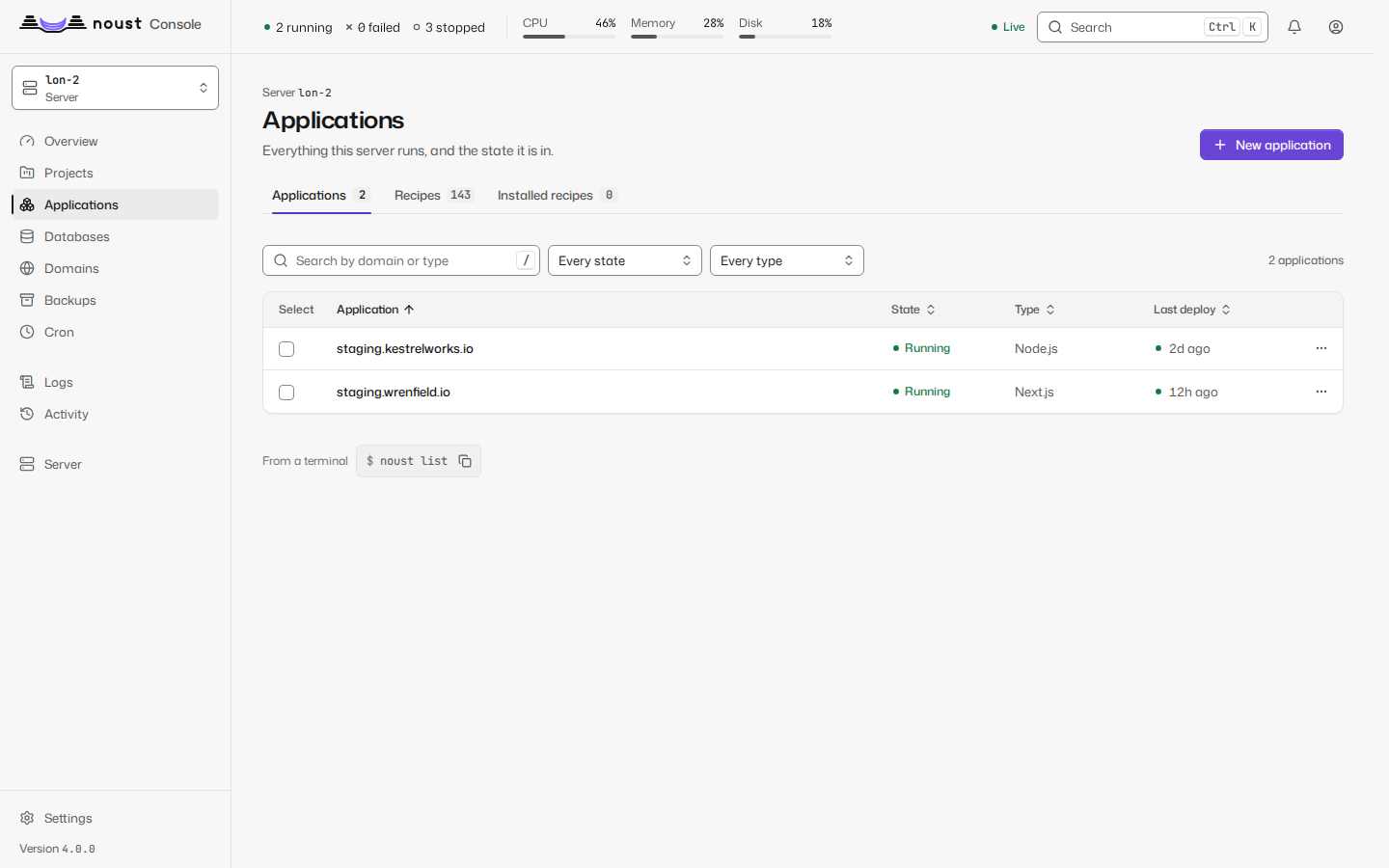
Fleet
A central's own pages: every server side by side, and what each one needs.
Part of The console, page by page.
A central's own pages, hidden on a plain server: choose All servers in the scope selector and the sidebar lists them. Overview (the fleet's key figures and what needs attention on every server, worst first), Servers (reachability, version, load, memory, disk, labels), Applications, Certificates, Backups, Updates and Activity, each row with its server and a link to its page there. The fleet's Overview ends with Compare servers: one measurement of every server (CPU, memory, swap, disk, load, network) over the same window, the busiest first, from each server's own history; a server that did not answer is a gap, said so. A server that did not answer, is too old for a view, or refused you is one row with its state and its own words; the rest of the page is unaffected.
Bulk actions (renew certificates, back up, verify backups, update or restart applications, update Noust, apply system updates) are chosen from a list of servers or by label, show their plan first (which servers, in which batches, what is skipped and why), and run as a fleet job with each server's outcome and a button to retry the servers that failed. Add a server is on Servers, and the selector and the palette lead to it.
On a fleet job's page, Details on a server's row opens what happened there:
- A failure first, with the server's own words verbatim and the suggested fix above them.
- Its state, how long it really took (or has been running), its batch, and what the job returned in words: for a system update, how many packages and which, whether a reboot is due (nothing is rebooted) and which services still run old libraries; for Noust's update, the version it went from and to; for a certificate renewal, each certificate renewed and its new expiry. A server older than 3.2 does not say which certificates, so nothing is guessed.
- The job's log on that server, in the log viewer (search, copy, download, follow the end): live while it runs, over the job WebSocket the central relays through the tunnel, and whole once it ended. A server that ran several jobs for the action has one tab per job.
- Each application, only for the actions that work per application (update, restart, back up, verify backups), with its domain, its result and a link to its deployment or its backup.
- Open on the server, a link to that job in the server's own Activity.
An operating system update that upgrades the noust package restarts the node's console in the
middle. The plan says so beforehand ("Also updates Noust: its console restarts, and the job waits for it"; Noust is installed last), and the
central waits for the node to come back and reads the result instead of counting a failure: the
node's console follows a job that runs in a transient systemd unit again after it restarts (see
Live updates), so the job ends as the unit did.
On several servers is the second tab of Applications (on All servers), for an application that runs on more than one server (CENTRAL.md): each application is a card with its servers side by side - the commit each serves, when, and whether it is current, differs, is missing or did not answer - and a line that says whether the fleet is in sync or which commit most servers run. Its menu rolls a commit, a tag or an image tag out (the plan first: who goes first and alone, the batches, what is skipped and why; then the fleet job it opens), puts the application on a server that lacks it (from one that has it, optionally under another domain), writes the servers for the load balancer (nginx, a list or JSON, with a port) and edits or stops tracking the placement; stopping touches no server. A server's menu on Servers adds Connection options (the wait for the connection and a bastion, tried before it is kept, with the line to authorize on the bastion), Export its inventory and Apply an inventory (to move a server to another central) and Link to a cloud machine.
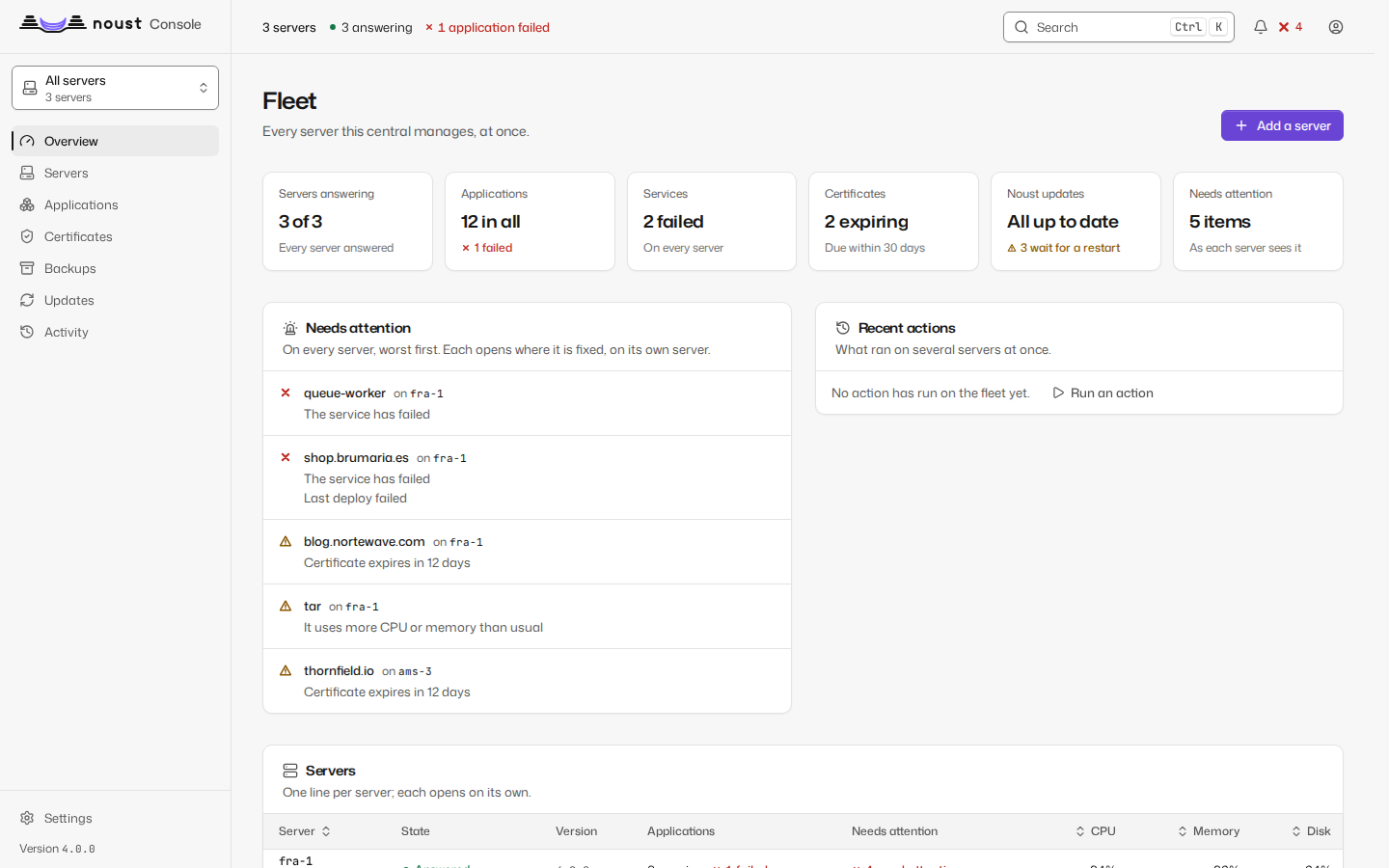
The scope selector switches every other page to one server, and every action taken there
(including a destructive one, still behind "Confirm it's you") reaches that server's own API
through the central's tunnel. What the server's ceiling for the central does not allow is
greyed out with the reason. A hub (central.role = hub) deploys nothing of its own; switched to
a server, Applications (and every other page) is that server's own: